How it works
ShipEdit gives customers a simple block on thank-you and order status. You stay in control of the window and toggles.
-
Install from the Shopify App Store Open ShipEdit in admin and save your Rules when you’re ready.
-
Add the Thank you and Order status blocks Installing alone does nothing for customers until both blocks are on your checkout pages.
-
Customers fix addresses or cancel under your rules Edit window, address/cancel toggles, tags, and optional fulfillment hold — you decide what they can do before you ship.
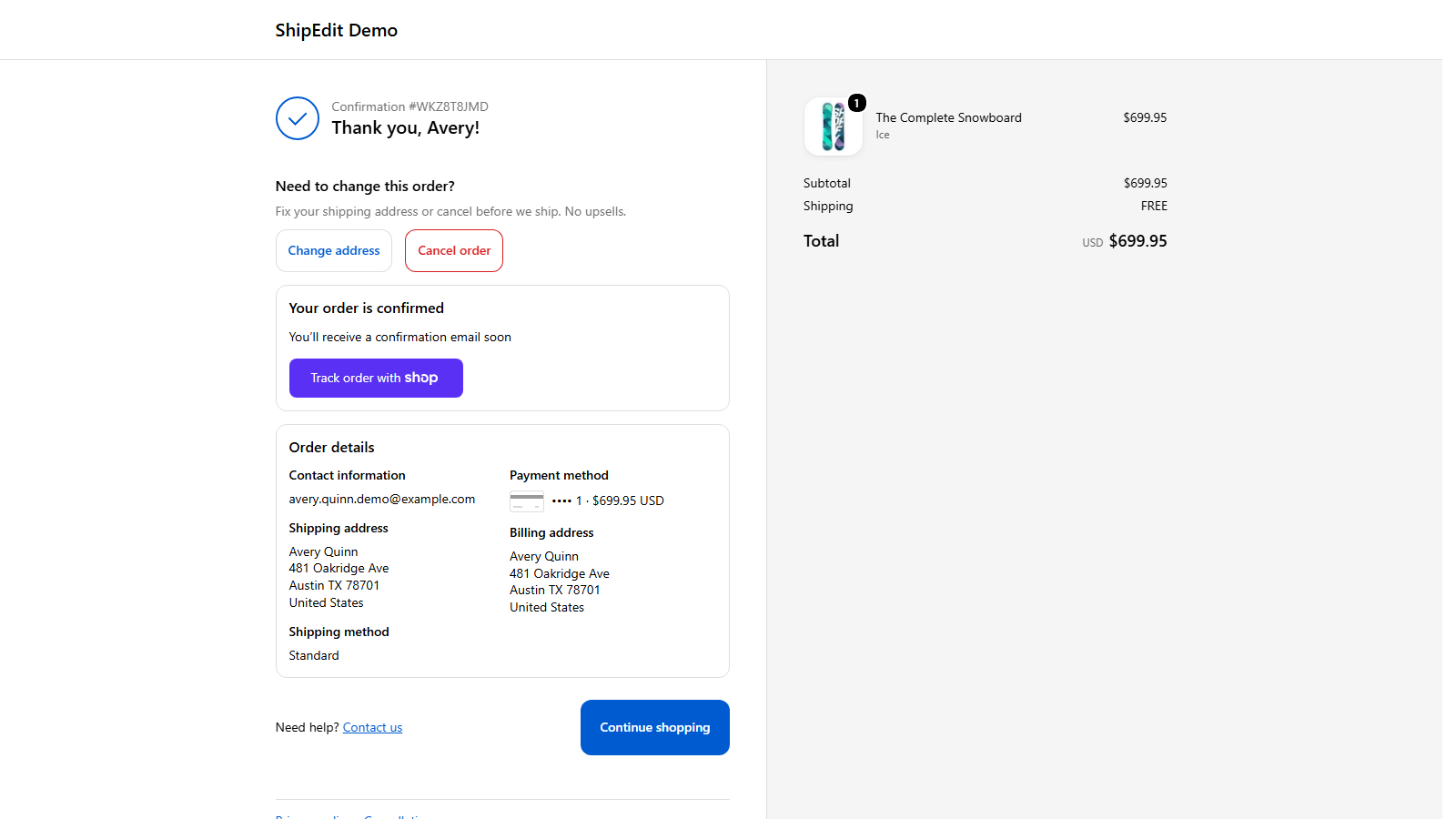
On the thank-you page
Shoppers update a shipping address or cancel before fulfillment — without opening a support ticket.
Pricing
$9.99/month · 7-day free trial
Unlimited orders. Cancel anytime from Shopify admin.
FAQ
- Where does ShipEdit appear for customers?
- On the Thank you page after checkout and on Order status in the customer account experience — once you add the ShipEdit blocks in the checkout editor.
- Does install alone turn it on?
- No. Customers only see ShipEdit after you add the Thank you and Order status blocks and save the editor.
- What do merchants control?
- Edit window in minutes (or until fulfillment), separate toggles for address changes and cancellations, order tags, optional fulfillment hold, and optional destination rules.
- What does ShipEdit not do?
- No upsells, variant swaps, AI content, or review spam — just address change and cancel before you ship.
Support
Questions or help getting set up? shipedit@directsales.software